Mac, iPhone, iPad · one-time purchase · plain text files
Simple as paper. Time included.
You write your tasks on a page, as you would on paper. A timer shows the time passing and what's left. Plaintask is made for people task apps have worn out, ADHD included.
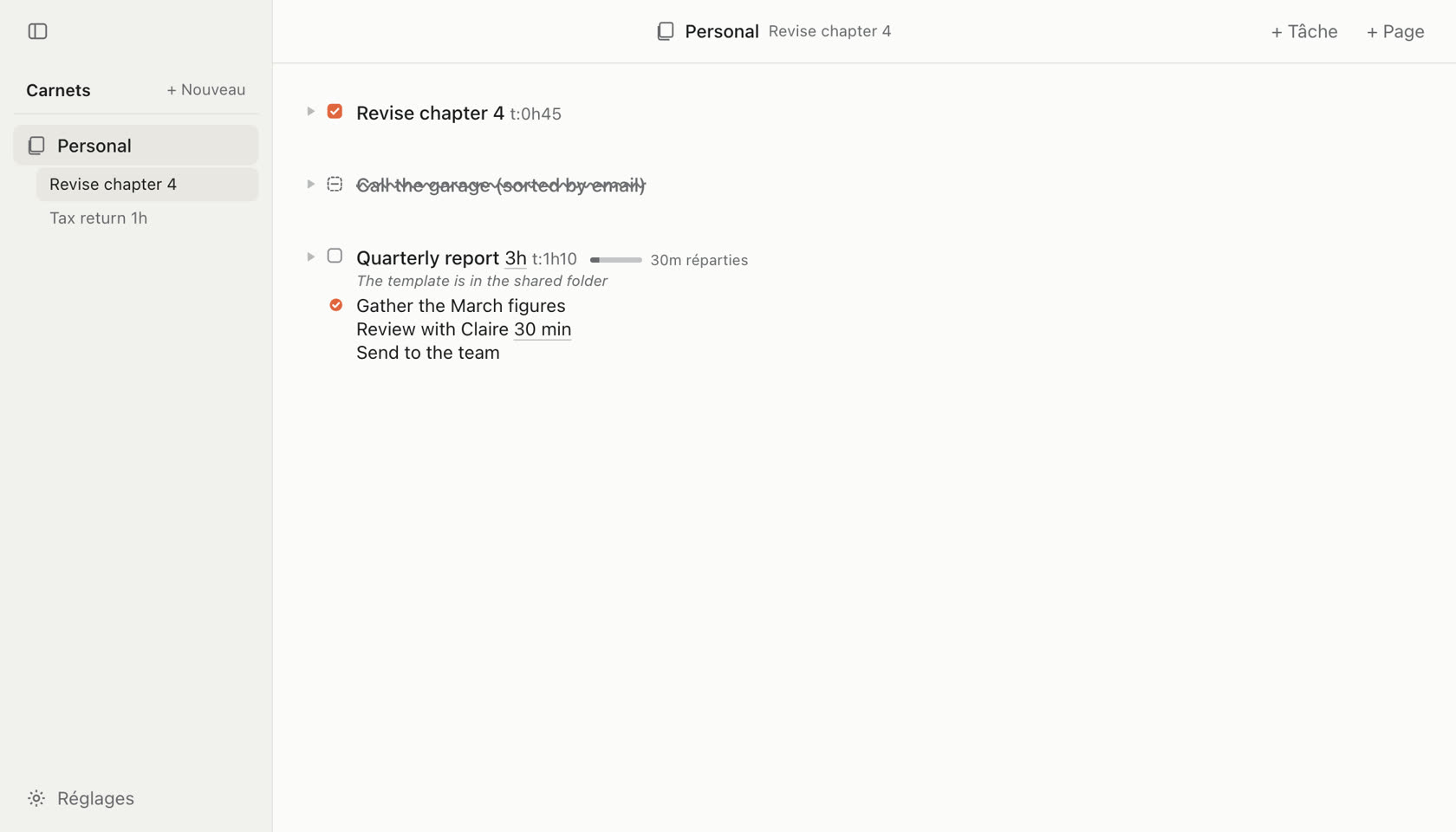
Task apps end up as a second job.
You learn the settings and fill in the fields. Then come the red overdue counts, the broken streaks and the notifications you learn to ignore.
Many people go back to paper. It works, but it can't show time, and it carries nothing over to the next page.
Plaintask starts from the sheet of paper and adds those two things.
What Plaintask will never do
- Ask you for a priority
- Demand a due date
- Show anything as overdue
- Send you a notification
- Count points or streaks
- Move a task on its own
- Ask you a question
What you get instead. Few things, and the right ones.
Start in ten seconds
Every line you write becomes a task. There's nothing to set up first.
Time you can finally see
Write 45 min next to a task. The timer tells you what's left, then keeps what it really took.
A list that doesn't keep growing
Take a fresh page whenever you like. Type @ and the block comes back with its steps not done. What's done stays on the old page.
AI, if you want it
It's off to begin with. Once you turn it on on your Mac, Claude reads your pages and writes in them before your eyes. You can undo all of it.
Synced with Reminders
Write !tomorrow 9am at the end of the line. Your iPhone rings at 9, and a task checked there gets checked here.
Always in sight on Mac
The timer stays in the menu bar, even with the page closed. One click checks off a step.
Plaintask also works with Siri and Shortcuts, shows the timer on the iPhone Lock Screen and keeps your routines as templates.
Questions about Plaintask


Is it made for ADHD?
Plaintask treats nothing and promises nothing about ADHD. It's made for people lists wear out: there's nothing to sort, time stays in sight and nothing shows as overdue.
Where is my data?
In text files, in your iCloud Drive. Any app can open them. Plaintask has no account and no server, and everything works offline.
What does the AI see?
Nothing until you turn it on, in Settings › AI on your Mac. Then the AI you choose reads your pages and writes in them like a keyboard. What it reads goes through its provider, like anything else you give it. It never deletes a page or a notebook.
How much does Plaintask cost?
A one-time purchase, no subscription. The price comes with the launch.
Which devices?
Mac, iPhone and iPad, plus a web version. It works with Siri, Shortcuts and Apple Reminders.
When does it launch?
No promised date. The roadmap says what already works.